Product search, price comparison, and affiliate-ready shopping across Singapore and US retailers.
Product search, price comparison, and affiliate-ready shopping across Singapore and US retailers.
BuyWhere MCP · v0.3.1
by Buywhere.ai
BuyWhere MCP Server
Cross-border product catalog for AI agents. Search and compare products from Singapore, SEA, and US markets via Model Context Protocol.
Works with Claude Desktop, Cursor, VS Code Copilot, Cline, OpenCode, Codex, and any MCP-compatible client.
Demo
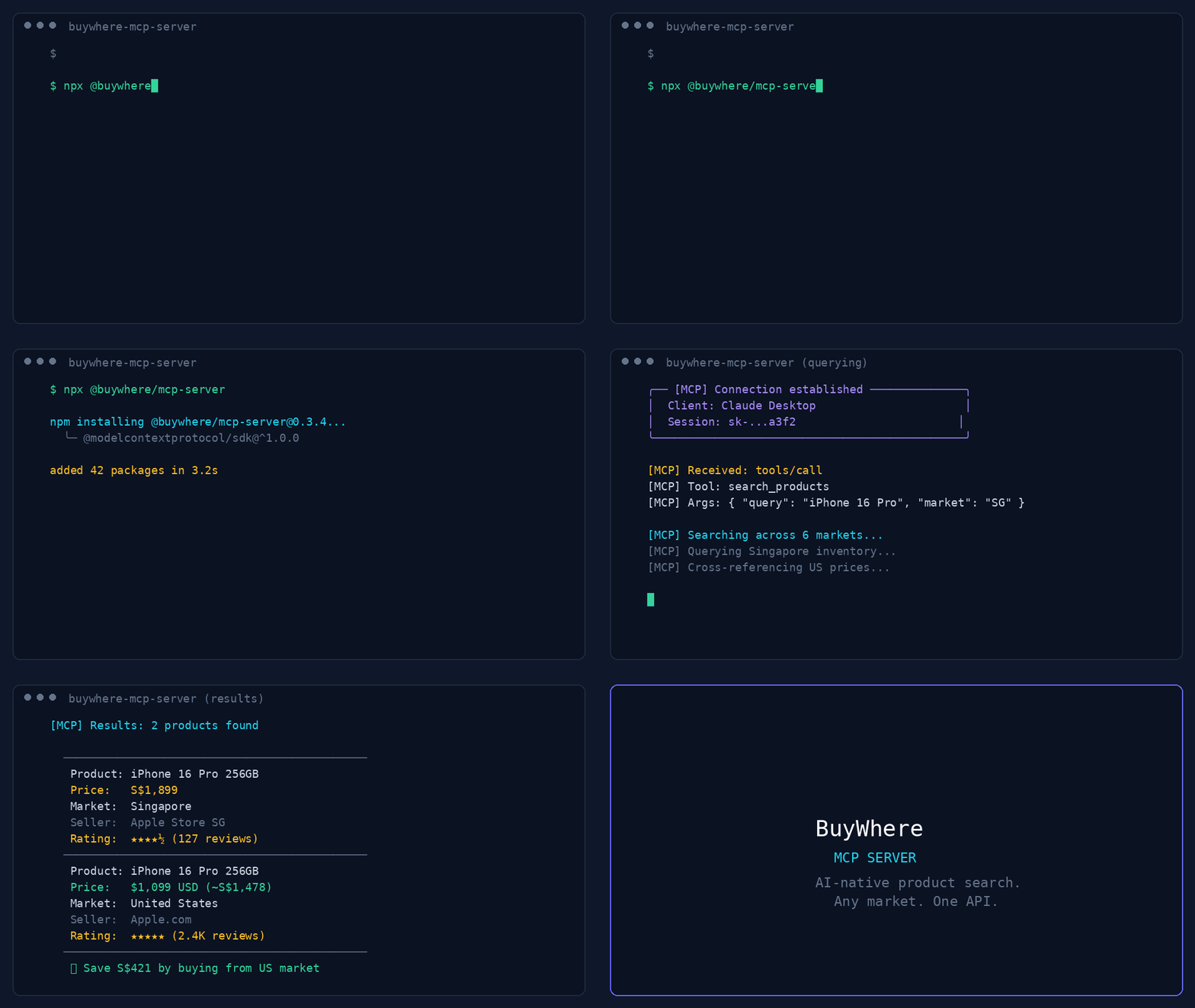
44-second demo: product search, deal discovery, price comparison, and multi-region support.
User:   "Find me wireless earbuds under $50 available in Singapore"
Agent:  [calls search_products → returns 5 matching products]

User:   "Compare the top 3"
Agent:  [calls compare_prices → side-by-side with best-value pick]
Quick Start
export BUYWHERE_API_KEY=bw_live_xxxx
npx -y @buywhere/mcp-server
Get your free API key → buywhere.ai/api-keys
Tools
| Tool | Description |
|---|---|
search_products |
Search catalog by keyword, category, price, region |
get_product |
Full product details by ID (prices, specs, images) |
compare_prices |
Side-by-side comparison of 2–5 products |
get_price |
Current prices across all merchants for one product |
get_affiliate_link |
Click-tracked affiliate URL for a product |
get_catalog |
Available product category taxonomy |
Use Cases
- AI agents — search, compare, and recommend products across Singapore, SEA, and US markets in real time
- Developers — add cross-border shopping capability to any MCP-compatible app with zero API integration
- Price comparison — get multi-market pricing in a single query across Lazada, Shopee, Amazon, and local retailers
Quick Setup
Claude Desktop
Add to claude_desktop_config.json:
{
  "mcpServers": {
    "buywhere": {
      "command": "npx",
      "args": ["-y", "@buywhere/mcp-server"],
      "env": { "BUYWHERE_API_KEY": "bw_live_xxxx" }
    }
  }
}
Cursor / VS Code / Cline
Same config — add to your MCP settings file:
{
  "mcpServers": {
    "buywhere": {
      "command": "npx",
      "args": ["-y", "@buywhere/mcp-server"],
      "env": { "BUYWHERE_API_KEY": "bw_live_xxxx" }
    }
  }
}
Configuration
| Variable | Default | Description |
|---|---|---|
BUYWHERE_API_KEY |
(required) | API key from buywhere.ai/api-keys |
BUYWHERE_API_URL |
https://api.buywhere.ai/mcp |
Custom API base URL |
Install
# Run directly (no install)
npx -y @buywhere/mcp-server

# Install globally
npm install -g @buywhere/mcp-server
buywhere-mcp
Development
git clone https://github.com/BuyWhere/buywhere-mcp.git
cd buywhere-mcp
npm install
npm run build
npm start
Why BuyWhere?
BuyWhere is the first cross-border product catalog API built for AI agents. We aggregate products from Singapore, Southeast Asia, and US markets into a single, agent-friendly interface.
- One API — all markets, all retailers
- Agent-native — built for MCP from day one
- Real-time — live pricing and availability
- Developer-first — no SDK needed, just add the server
A2A Protocol
BuyWhere also supports the Agent-to-Agent (A2A) protocol for multi-agent task delegation. View our Agent Card at /.well-known/agent.json.
Contributing
See CONTRIBUTING.md for how to report issues, submit PRs, and suggest features.
Support
If you find this project useful:
- ⭐ Star the repo — it helps others discover BuyWhere
- 🐛 Open an issue for bugs or feature requests
- 💬 Start a discussion for questions or ideas
- 📣 Share it with other developers who build AI agent tools
License
MIT